

Two-Level Dropdown Navigation
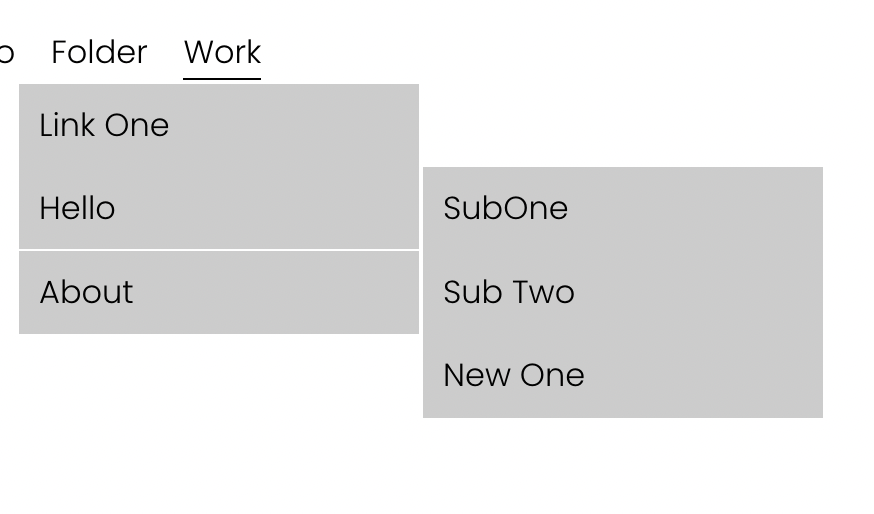
What You'll Create
A two-level dropdown navigation where hovering over main items reveals a secondary submenu that slides out to the side.
The Problem It Solves
Squarespace folders only support one level of navigation. This technique creates hierarchical dropdowns with nested submenus for complex site structures.
Perfect For
E-commerce sites, Large service businesses, Multi-department organizations, Educational institutions, Content-heavy sites.
What Makes This Different
JavaScript detects specially-named links (with "main" keyword) and dynamically groups submenu items. CSS positions the secondary menu absolutely to slide out from the primary dropdown.
Details
Section Type: Fluid Engine
Code Type: CSS + JavaScript
Prerequisites: Folder navigation with specially named links using "main" and "sub" keywords
Toolkit Title: Two level dropdown
Learn This Technique
This is one of 150+ code techniques taught inside Standout Squarespace, where you get:
The complete, copy-paste code
Video walkthrough explaining how it works
The principles behind the technique so you can customize it
Access to our private community for support