

Push Slide-Out Menu
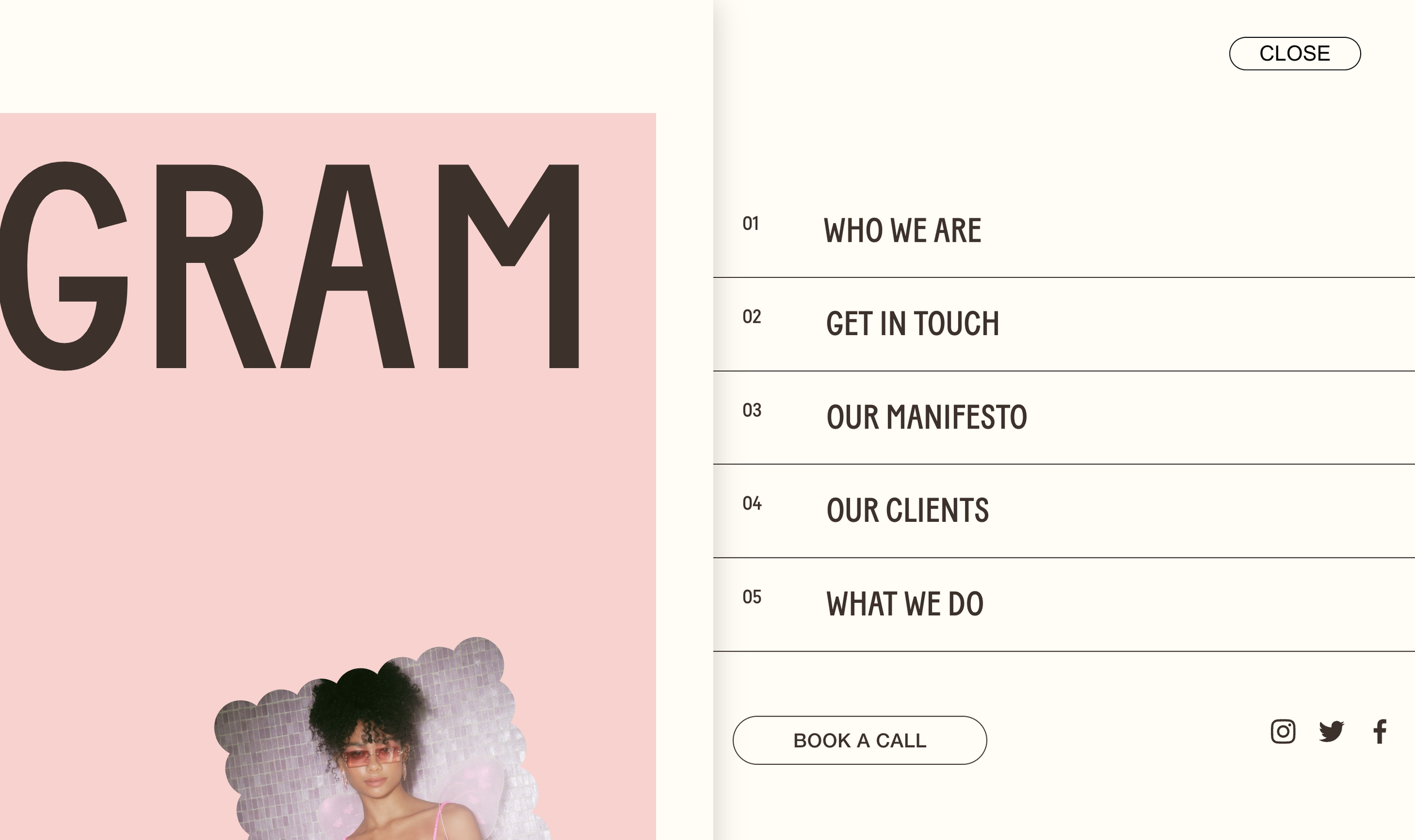
What You'll Create
Build a dramatic slide-out menu for your Squarespace site where clicking the burger pushes your page content aside, revealing a full navigation panel. The main page slides left with a shadow effect while the menu slides in from the right (or left, with the variation). Menu items are numbered "01", "02", "03" for that editorial feel, and the burger button transforms from "MENU" to "CLOSE" as a styled pill. It's the kind of immersive menu interaction you see on award-winning portfolio sites.
The Problem It Solves
Squarespace's mobile menu either overlays content or replaces it entirely—there's no "push" effect where the menu slides in while content moves aside. That interactive, spatial transition creates a more premium feel than a simple overlay. Building this kind of menu animation usually requires significant custom development. This technique transforms the native mobile menu into a sophisticated slide-out experience.
Perfect For
Creative portfolios wanting a premium navigation feel
Design studios and agencies
Photography sites with immersive experiences
Luxury brands with editorial aesthetics
Any site wanting navigation that feels like an experience
What Makes This Different
The menu uses Squarespace's built-in mobile menu system—just styled and repositioned—so all your navigation items stay manageable through the normal interface. The page slides with a subtle shadow creating depth. Menu items get automatic numbering. The transition is a smooth half-second on both open and close. Works on both desktop and mobile, with different widths for each (50% on desktop, 85% on mobile). Options include left-side or right-side slide direction.
Details
Section Type: Fluid & Classic
Code Type: CSS
Prerequisites: Desktop burger icon enabled in header settings. CSS added to Custom CSS area.
Toolkit Title: Push Menu
Learn This Technique
This is one of 150+ code techniques taught inside Standout Squarespace, where you get:
The complete, copy-paste code
Video walkthrough explaining how it works
The principles behind the technique so you can customize it
Access to our private community for support