

Slide-Out Push Menu
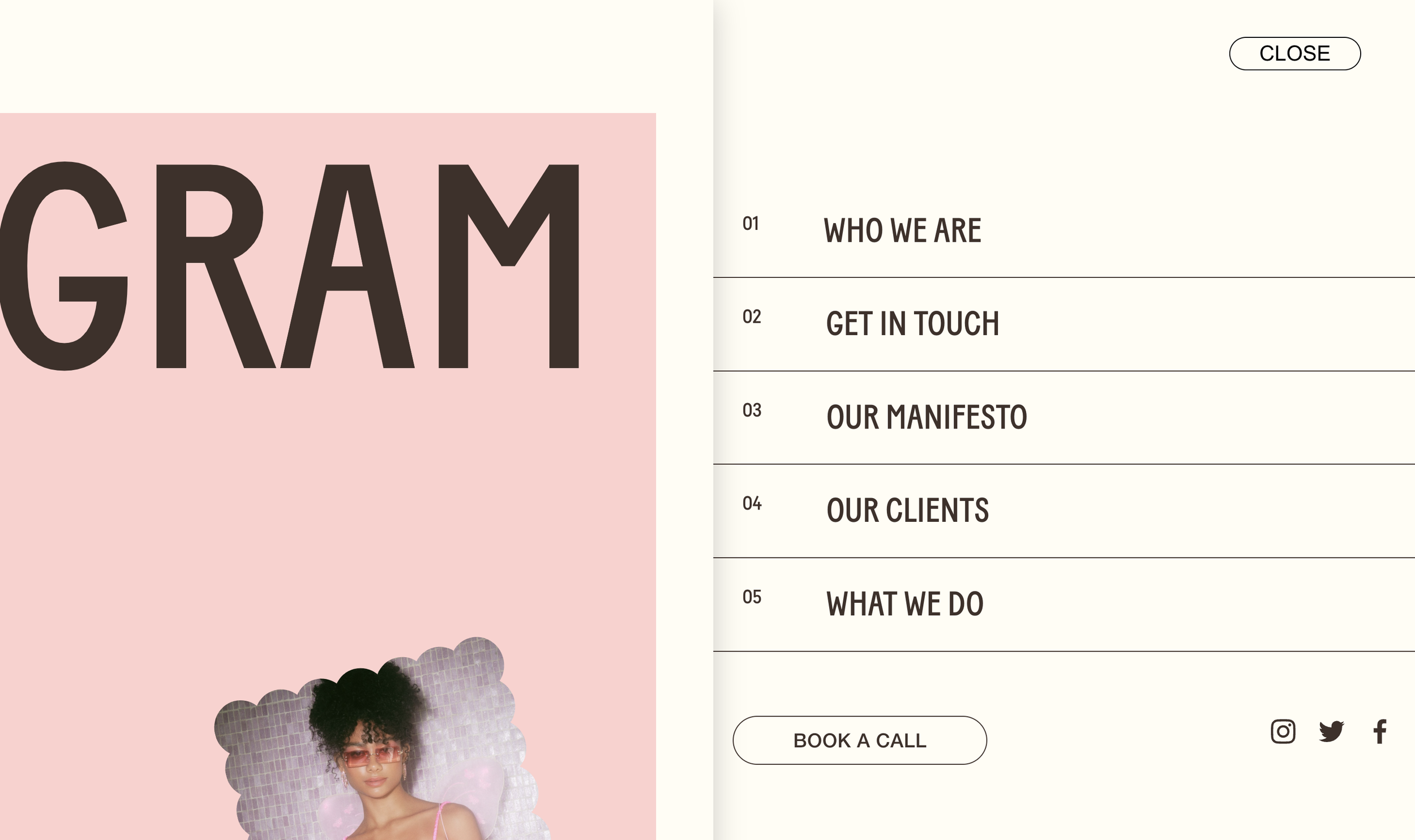
What You'll Create
A full-screen slide-out menu that pushes the main page content aside when opened. The hamburger menu reveals a panel from the side while the page slides away with a shadow effect, creating a dramatic, app-like navigation experience.
The Problem It Solves
Squarespace's default mobile menu overlays on top of content, which is functional but predictable. When you want that premium, app-like feel where the menu slides in and physically pushes the page aside - similar to native mobile apps - you need custom CSS to override the default behavior.
Perfect For
Creative agency sites, Portfolio websites, Boutique brands, Mobile-first designs, App-like experiences.
What Makes This Different
The CSS transforms both the menu and page elements simultaneously - the menu slides in from the side while translate properties push the page content away. Box shadows add depth, and the burger icon transforms to show MENU/CLOSE text on desktop. The effect includes options for left or right-side panels, customizable widths, and coordinated animations for social links and CTAs.
Details
Section Type: Fluid & Classic
Code Type: CSS
Prerequisites: Header with burger menu enabled
Toolkit Title: Slide-Out Menu
Learn This Technique
This is one of 150+ code techniques taught inside Standout Squarespace, where you get:
The complete, copy-paste code
Video walkthrough explaining how it works
The principles behind the technique so you can customize it
Access to our private community for support