

Multi-Image Reveal on Text List Hover
What You'll Create
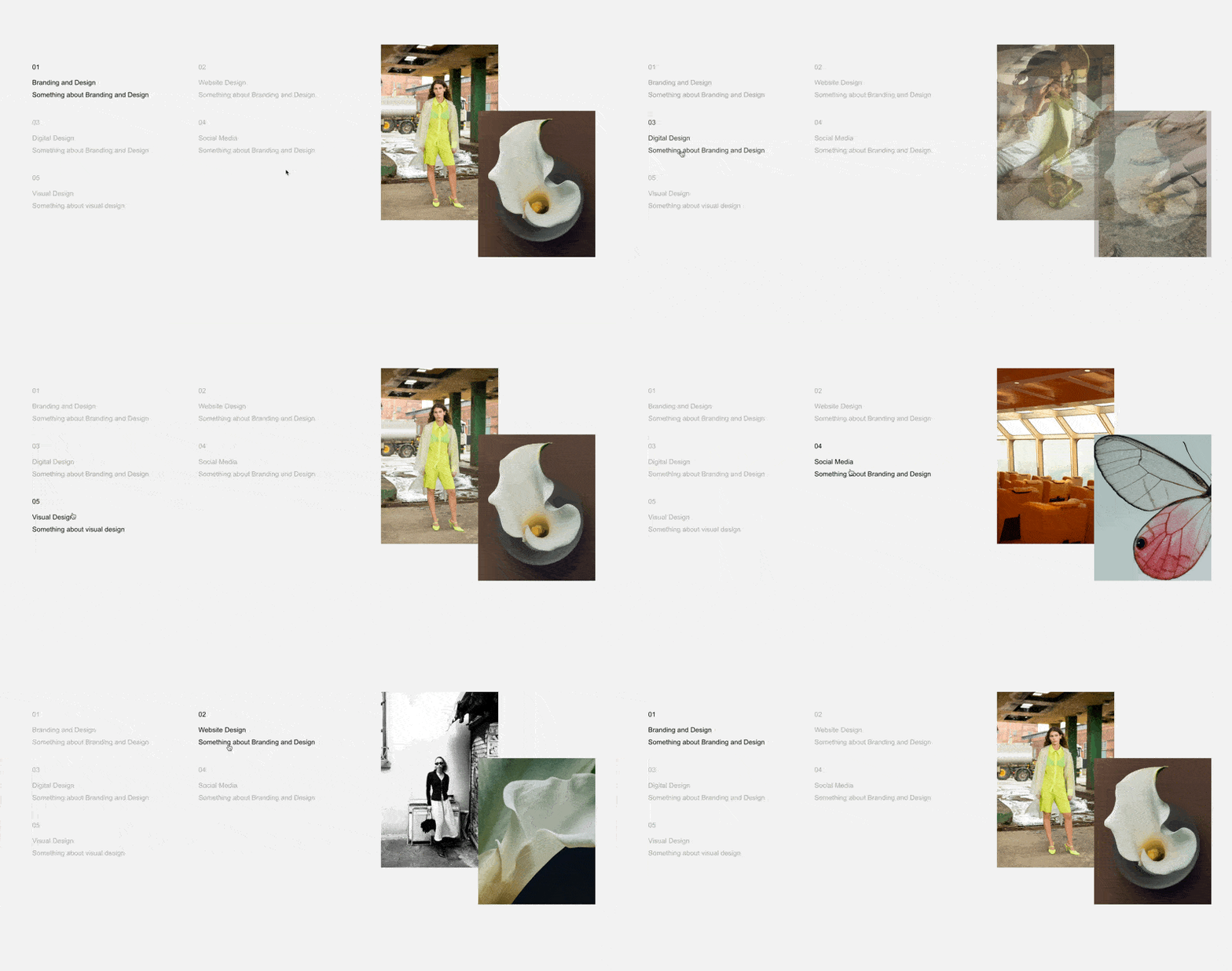
A text list where hovering over each item reveals a corresponding image from a gallery block. Non-hovered items fade to lower opacity while the active item stays fully visible, with smooth transitions between states. The gallery images swap visibility based on which list item is being hovered.
The Problem It Solves
Squarespace doesn't natively link list items to gallery images for interactive reveals. Creating connections between text content and visual elements typically requires complex custom coding or third-party tools. This technique uses data attributes to elegantly sync list hover states with gallery slide visibility.
Perfect For
Service pages where each offering reveals a relevant image, team pages with member photos, product feature lists with corresponding visuals, portfolio item descriptions paired with thumbnails, restaurant menus with dish photography.
What Makes This Different
This technique tracks which list item you're hovering over and automatically shows the matching gallery image. When you move your mouse away from the list, it smoothly returns to showing the first image as a default state. Each list item dims when inactive and brightens when hovered, creating clear visual feedback about what's selected. You can have as many list items and gallery images as you need - they'll automatically pair up in order.
Details
Section Type: Fluid Engine
Code Type: CSS + JavaScript
Prerequisites: Section with
#listrevealanchor, unordered list in text block, gallery block with slides matching list item countToolkit Title: Multi-Image Reveal on Text List Hover
Learn This Technique
This is one of 150+ code techniques taught inside Standout Squarespace, where you get:
The complete, copy-paste code
Video walkthrough explaining how it works
The principles behind the technique so you can customize it
Access to our private community for support